Press two fingers — not your thumb — on the inside of your wrist below the thumb, or beside your windpipe. Count the beats for 30 seconds and double it, or count 15 seconds and multiply by 4. That is your heart rate in beats per minute. Type your count below and we do the math.
Your count
72 BPM from your count
This page doesn’t measure anything — it only does the arithmetic on the beats you counted.
Your heart rate
Beats per minute
72bpm
36 beats in 30 seconds × 2 = 72 BPM
At the wrist (radial pulse)
- Turn one hand palm-up.
- Place the tips of your index and middle fingers on the inside of the wrist, just below the base of your thumb.
- Press lightly until you feel the beat. Move your fingers a little if you can’t find it.
- Look at a clock and count the beats for 30 seconds (or 15).
- Double the 30-second count (or multiply the 15-second count by 4). That is your heart rate in BPM.
At the neck (carotid pulse)
- Place two fingers beside your windpipe, in the soft hollow under the angle of your jaw.
- Press gently — on one side only.
- Count for 30 seconds and double it.
Get a count you can trust
- For your resting pulse, sit quietly for 5 minutes first — or count before you get out of bed.
- Start counting at “zero” on the first beat you feel after the clock starts.
- Missed a beat? Keep going. In 15 seconds each miss changes the result by 4 BPM; in 30 seconds, by 2.
- If the beat feels irregular, count a full 60 seconds.
Checking someone else’s pulse
If they don’t respond or aren’t breathing normally, call 911 first. Don’t spend time feeling for a pulse. The American Heart Association’s Hands-Only CPR guide explains what to do next.
If they are awake and comfortable, ask them to sit still. Place two fingers on their wrist, below the thumb, and count for 30 seconds, then double it. Don’t use your own thumb, because it has its own pulse.
Counting, the app, or a watch?
Counting by hand needs nothing but a clock, and it is how the CDC examiners in our data measured: 30 seconds, doubled, after 4 minutes seated.
The Pulse app reads your pulse from the light through your fingertip on the iPhone camera and keeps the history. A watch reads all day, but readings during movement can be off. Whatever you use, compare resting numbers with resting numbers.
When to talk to a clinician
A single reading moves around a lot. If your resting pulse is above 100 on most mornings, or below 50 and you are not a trained endurance athlete, mention it at your next checkup — bring your readings.
If a fast or slow pulse comes with chest pain, fainting, feeling about to faint, or trouble breathing, call 911 or your local emergency number now.

Hard to count? Pulse reads it with your iPhone camera.
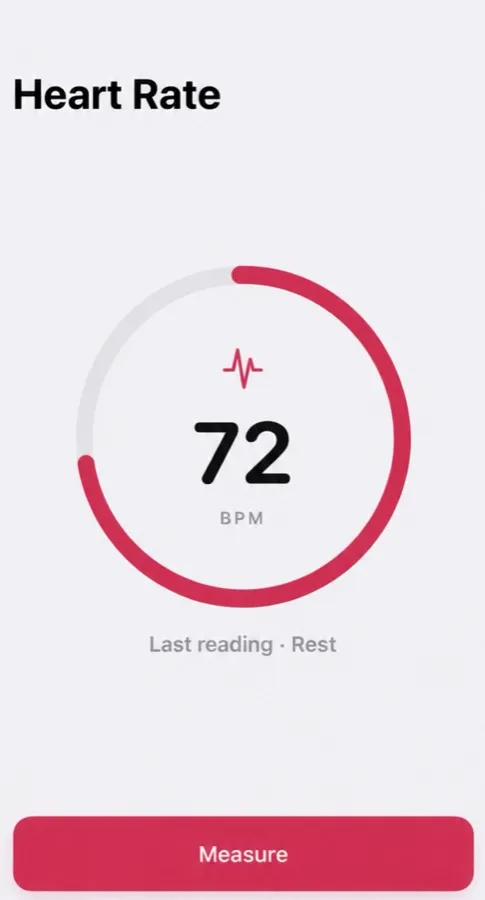
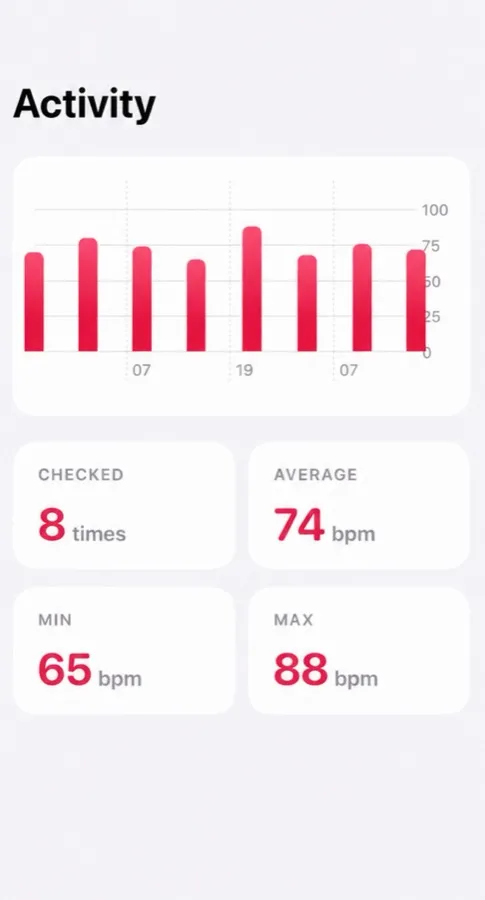
Cover the back camera with your fingertip — Pulse reads your heart rate from the light and keeps every reading, with your average, lowest and highest.
- Reads your pulse in about 15 seconds
- Tag each reading: morning, rest, workout, before bed
- History with average, min and max
Free to download, optional Pro. Not a medical device: Pulse reads and keeps your pulse, and it does not detect or predict disease. What the app does
Questions people ask
How do I check my pulse for 15 seconds?
Find your pulse at the wrist or neck, count the beats you feel in 15 seconds, then multiply by 4. Twenty beats in 15 seconds = 80 BPM. Thirty seconds × 2 is a little more accurate, because each missed beat costs you 2 BPM instead of 4.
Why shouldn’t I use my thumb?
Your thumb has its own pulse, which you may count instead of the one you are touching. Use your index and middle fingers.
Wrist or neck — which is better?
The wrist is easier and safer for most people. The neck pulse is stronger, but press lightly and on one side only.
I can’t find my pulse. What now?
Move your fingers a little toward the thumb side of the wrist, press a bit harder, and keep still for a few seconds. Warm hands help. The Pulse app reads it through the iPhone camera if counting by hand is hard.
General information, not medical advice — medical disclaimer. Reviewed : sources and reference dates are listed below.
Sources · numbers checked · how we calculate · report an error
- Mayo Clinic. Heart rate: What’s normal? (Expert answers).
- Ostchega Y, Porter KS, Hughes J, Dillon CF, Nwankwo T. Resting pulse rate reference data for children, adolescents, and adults: United States, 1999–2008. National Health Statistics Reports No. 41. NCHS, 2011.
- American Heart Association. Target Heart Rates Chart.