One heart rate number tells you little. Your own record tells you more.
Reviewed
Pulse is an iPhone app that reads your pulse through the camera in about 15 seconds and keeps every reading. Check it each morning, see your own trend, and take it to your doctor. Free to download, optional Pro. Your result is never locked. Pulse is not a medical device.
iPhone · iOS 18 or later · Version 1.8.1
Why one reading isn’t enough
Your normal is your own
In a study of 92,457 people wearing trackers, one person’s normal resting pulse could differ from another’s by nearly 70 BPM. Age, sex, BMI and sleep together explained no more than 10% of those differences.
Your own number is steady
The same study found the average person moved only about 3 BPM from day to day. So a change means more against your own record than against a chart. That is what Pulse keeps for you.
How it works
Cover the lens
Follow the camera hint in Pulse. On iPhone 17 Pro, 17 Pro Max and iPhone Air, Automatic starts with the front camera at the top of the screen and uses the screen as a light. Other supported iPhones start with a rear camera and flash. Hold your fingertip lightly over the camera shown; Pulse can try another camera if the signal fails. Which lens?
Get your BPM
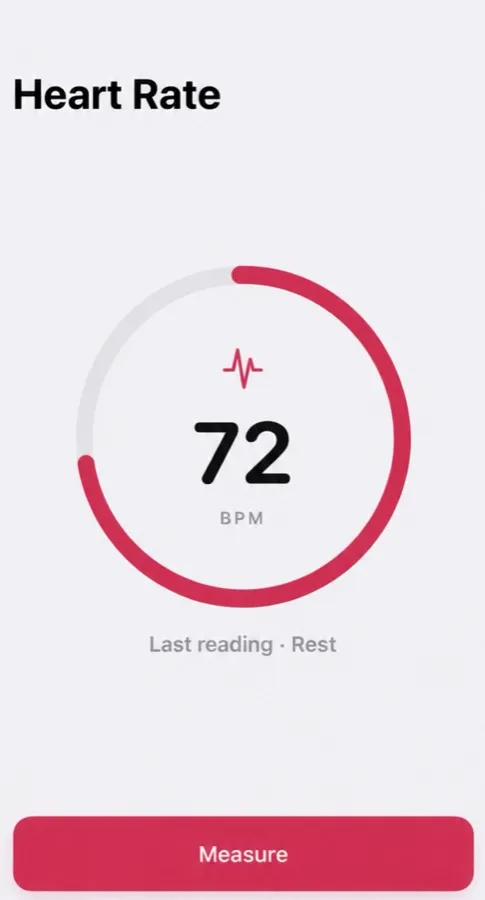
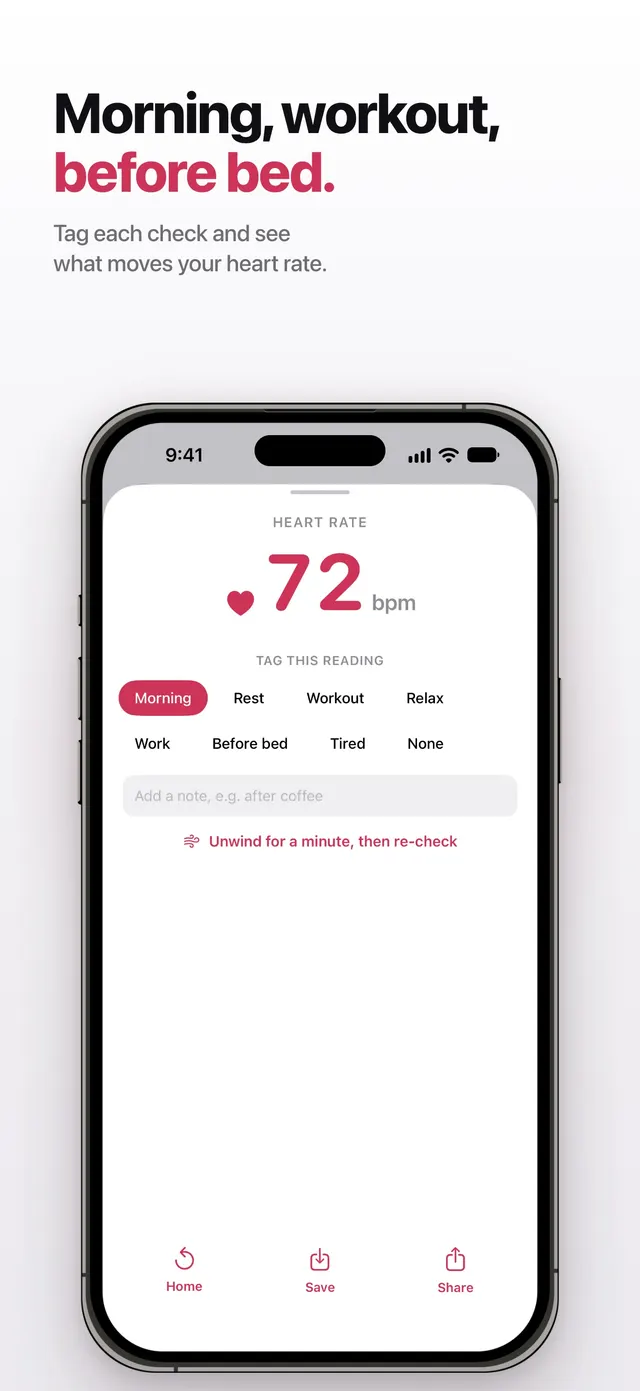
In about 15 seconds you have your number. Tag it Morning, Rest or Workout.
See your trend
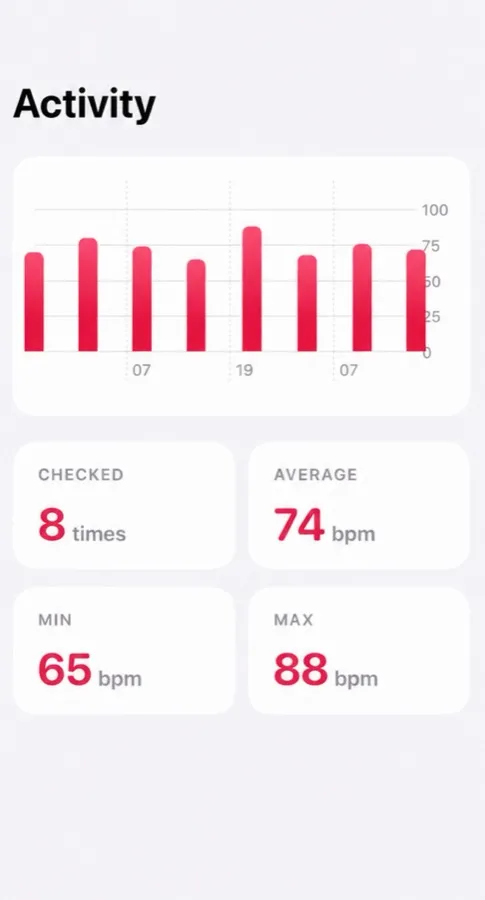
Look back at your average, lowest and highest, and take a PDF to your doctor.
Screens from the App Store.
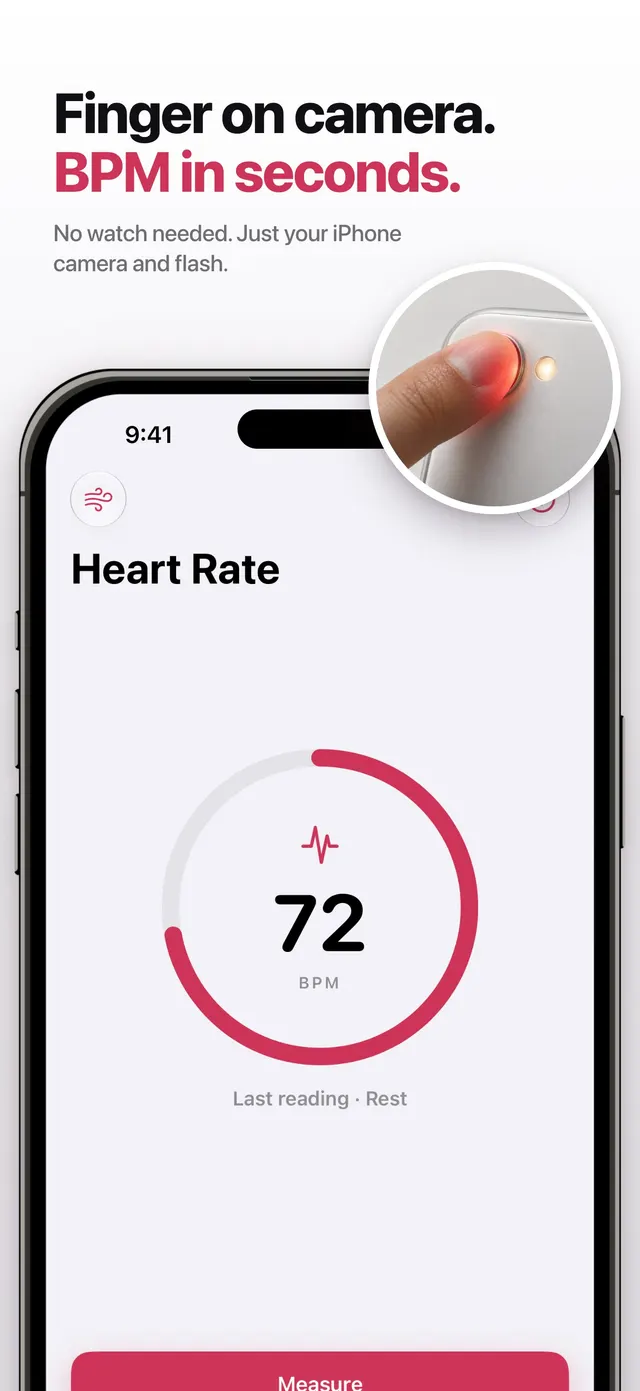
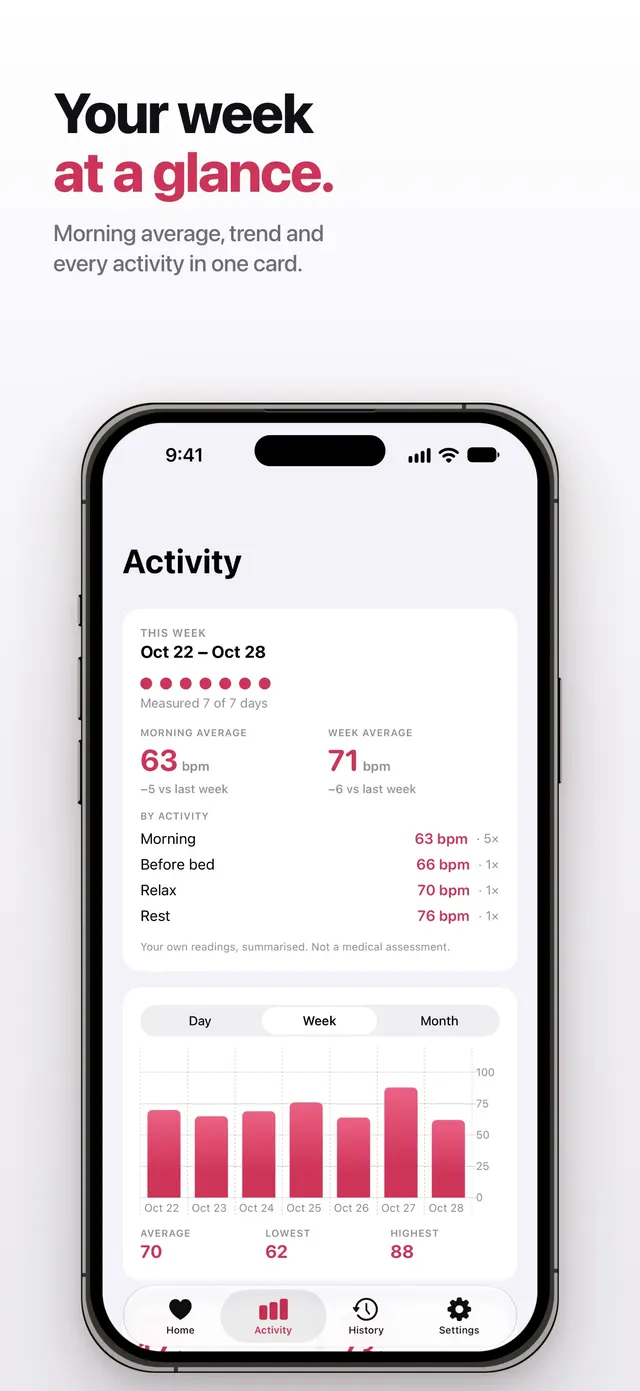
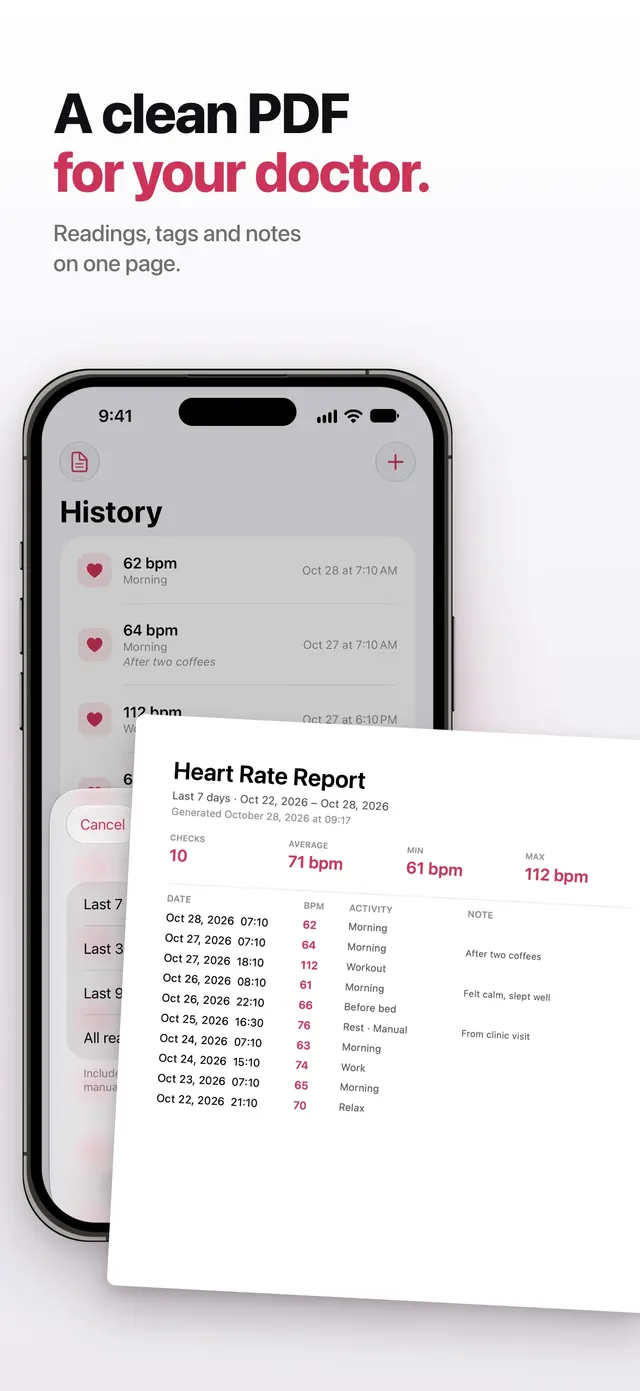
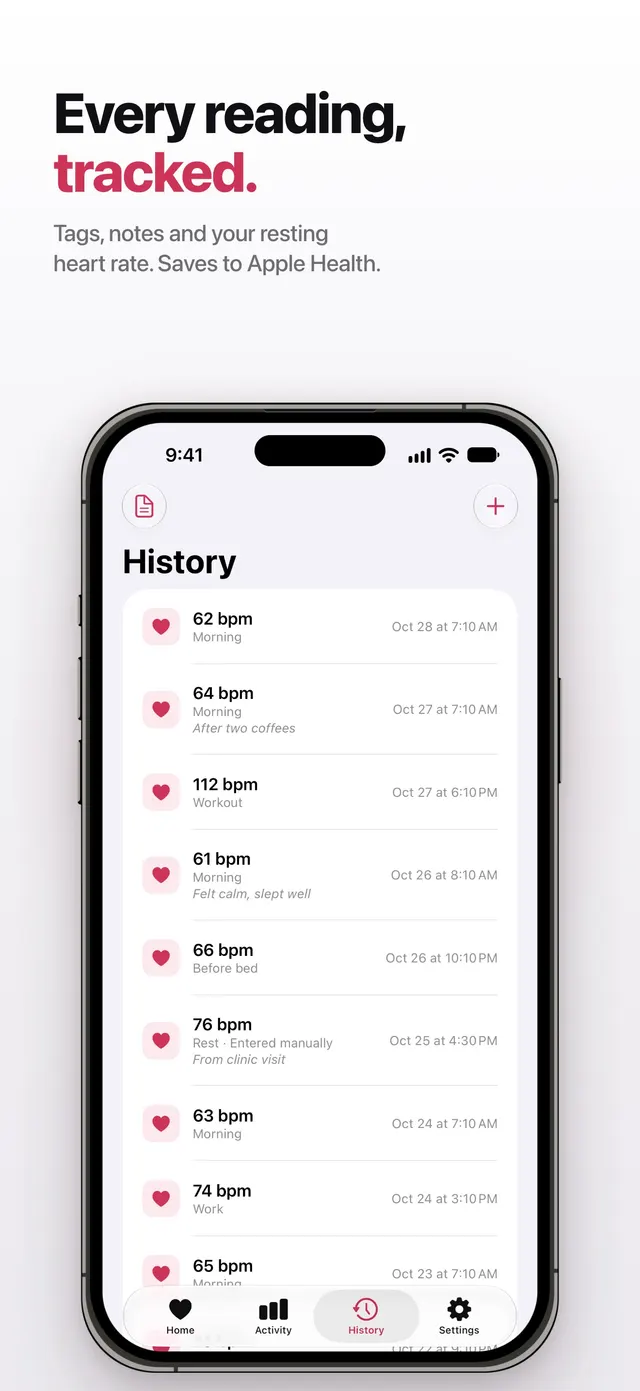
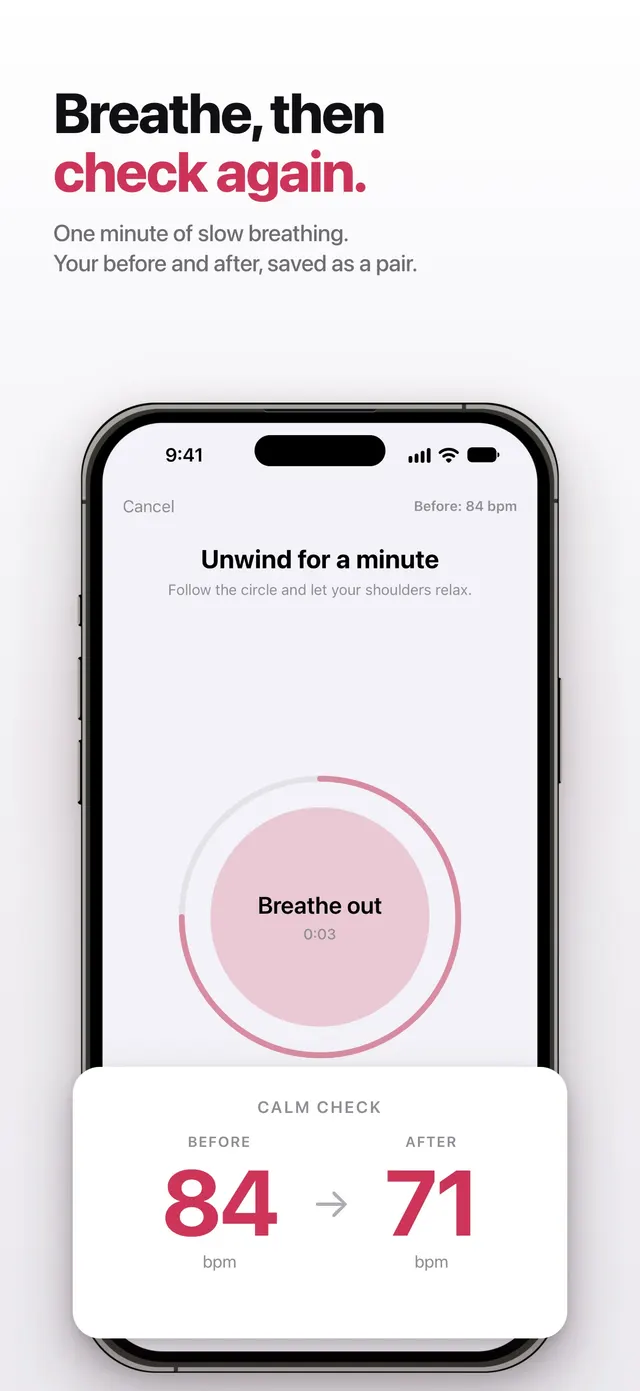
Numbers in the screens are sample data.
What you get
- Reads your pulse with the camera. Follow the camera hint in Pulse. On iPhone 17 Pro, 17 Pro Max and iPhone Air, Automatic starts with the front camera at the top of the screen and uses the screen as a light. Other supported iPhones start with a rear camera and flash. Hold your fingertip lightly over the camera shown; Pulse can try another camera if the signal fails. Pulse counts changes in light with each beat; a reading takes about 15 seconds once a usable signal is established and can take longer.
- Keeps every reading. Your history shows your average, lowest and highest, so one odd number doesn’t get lost or blown up.
- Tags what you were doing. Morning, rest, workout, relax, work, before bed, tired. Compare mornings with mornings.
- Reminds you. A daily reminder makes the morning check a habit.
- Reads the result out loud. Voice feedback, for when you can’t look at the screen.
- Saves to Apple Health. If you allow it, your readings are written to Apple Health.
- Sums up your week. A weekly card with your morning average, how it compares with last week, and your numbers by activity.
- Notes and typed-in readings. Add a note such as “after two coffees”, or type in a pulse from a clinic visit or another device.
- Unwind, then re-check. One minute of slow breathing with a before-and-after reading, saved as a pair.
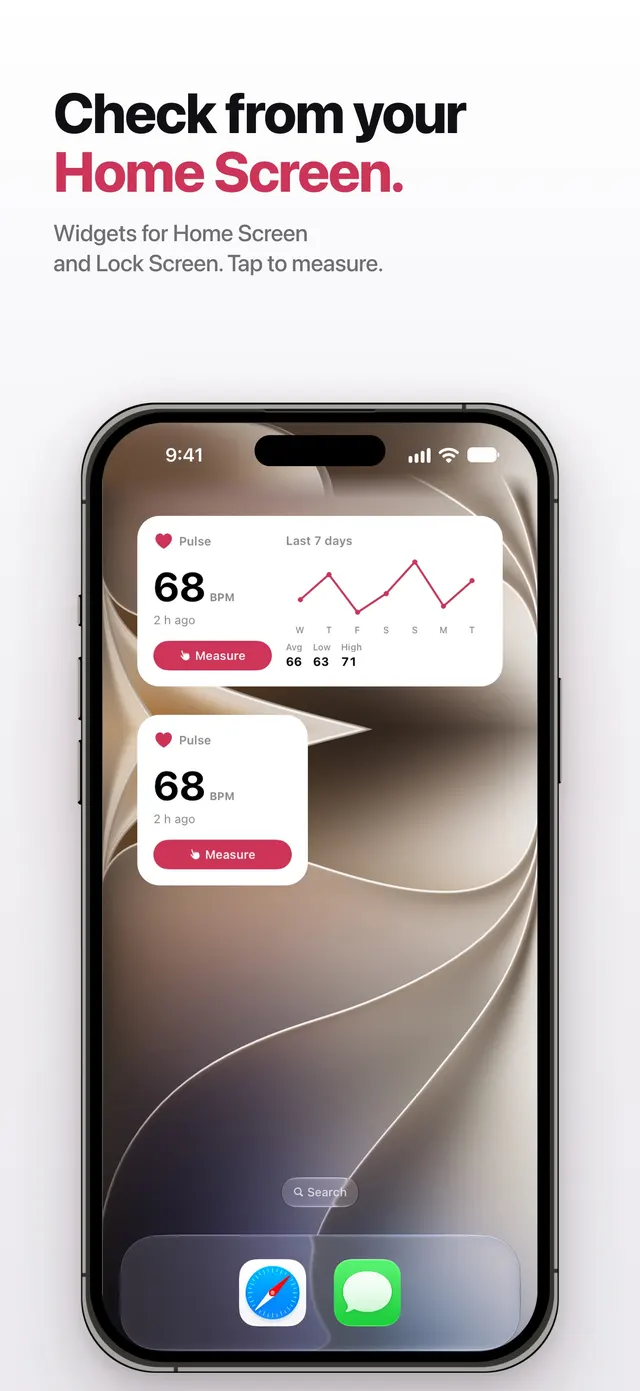
- Widgets. Your last reading on the Home Screen and Lock Screen, and a tap to measure.
Free and Pro, plainly.
| Feature | Free | Pro |
|---|---|---|
| Read your pulse | 5 a day | Unlimited |
| See your result | Every time | Every time |
| Tags, reminders, voice, Apple Health | Included | Included |
| Notes and typed-in readings | Included | Included |
| Unwind and re-check | Once a day | Unlimited |
| Widgets | Small and Lock Screen | Plus the 7-day chart |
| History | Last 30 days shown; older readings stay saved | All of it |
| Activity charts by day, week and month | — | Included |
| Weekly summary | — | Included |
| PDF for your doctor, with a date range and notes | — | Included |
| Backup file export and restore in Files (no automatic iCloud backup) | — | Included |
| Ads | Yes | None |
Free to download, optional Pro. Pro is an auto-renewing subscription; manage or cancel it in your Apple Account settings. US prices as of Nov 2026: $14.99/year with a 3-day free trial for eligible subscribers, or $2.99/month with no trial. Prices may vary by region. The App Store confirms the price and eligibility before purchase.
How Pulse is different
In October 2026 we went through 1,029 public App Store reviews of seven heart rate apps, all from the past 12 months. These complaints kept coming up. Here is what Pulse does instead.
- Your result is never locked. Some heart rate apps ask you to pay before they show the number you just measured. In Pulse, every reading shows its result, free.
- No weekly billing. Weekly plans are a common complaint in heart rate app reviews. Pulse Pro has no weekly plan.
- No scare labels. Pulse gives you no heart score and no “abnormal” warnings. You see your number and your own trend.
- No blood pressure claims. A phone camera can’t measure blood pressure or oxygen, so Pulse doesn’t offer either. It does one thing: your pulse.
- Paying ends the selling. Once you are on Pro, the sales screens stop.
Good fit if
- You want your own record of your pulse without buying a watch.
- You check it each morning and want to look back at your trend.
- You want readings to show your doctor.
- Your iPhone is a recent Pro model and other camera apps don’t see your finger: Pulse selects a camera for your model and can try another camera, though it won’t get every reading on every phone.
- You’d rather hear the result: Pulse can read it out loud.
Not for
- Finding out whether something is wrong with your heart. It detects, screens for and predicts nothing.
- Blood pressure, oxygen or heart rhythm. It measures none of them.
- All-day or workout heart rate. A watch does that; Pulse reads one sitting at a time.
- Android or iPad.
Prefer paper? Print a heart rate log.
Your readings stay yours
- No account. You don’t sign up for anything.
- On your iPhone. Readings are stored on the device. Pulse 1.8.1 does not store pulse readings in iCloud. Pro can export and restore a backup file through Files.
- Apple Health only if you say so. Pulse writes finished readings to Health; it does not read Health data.
- What we do collect. The free plan shows ads, and the app sends anonymous usage events to help us improve it. Privacy details.
What Pulse doesn’t do
Pulse reads and keeps your pulse. It is not a medical device, and it does not detect, screen for or predict any disease. It doesn’t measure blood pressure, oxygen or heart rhythm.
What it does is simple: you record your pulse each morning, you see your trend, and you can show it to your doctor. If something feels wrong, here is when to get help.
This website vs. the app
- Explains your number. Where it sits among people your age, from CDC data, plus zones and max heart rate.
- Never measures. A web page can’t use the iPhone flash, so this site never pretends to read your pulse.
Use them together: read your pulse in the app, then see where it sits for your age.
How accurate are camera apps?
In adults at rest, fingertip camera apps agreed with validated methods within about 0.3 BPM on average in a meta-analysis. Some apps were much worse, and we have no independent test of Pulse. Read the evidence in do phone heart rate apps work.
Questions people ask
Is the Pulse app free?
Free to download, optional Pro. The free plan gives you 5 readings a day, your last 30 days of history, and ads. Pro adds unlimited readings, full history, Activity charts, weekly summaries, doctor PDF reports and backup files, with no ads.
How does a phone read heart rate?
With your fingertip over the selected camera lit by the flash or screen, each heartbeat changes how much light gets through. The app counts those changes. Do phone heart rate apps work?
How accurate is it?
We have no independent test of Pulse to quote. A meta-analysis found fingertip camera apps agreed with validated methods within about 0.3 BPM on average, in adults at rest, but apps vary. Check Pulse against a 30-second hand count.
Can Pulse tell me if something is wrong with my heart?
No. Pulse is not a medical device and does not detect, screen for or predict any condition. It keeps your pulse readings so you can see your trend and show your doctor. If something feels wrong, talk to a clinician.
Do I need an Apple Watch?
No. Pulse uses the iPhone camera with flash or screen light. Other ways to check on iPhone.
How do I cancel Pro?
In your Apple Account settings, at any time. Pro is an auto-renewing subscription handled by Apple.
Does it work on Android or iPad?
Pulse is an iPhone app.
Start your own record tomorrow morning.
Free to download, optional Pro. US prices as of Nov 2026: $14.99/year with a 3-day free trial for eligible subscribers, or $2.99/month with no trial. Prices may vary by region. The App Store confirms the price and eligibility before purchase.
Get Pulse on the App StoreGeneral information, not medical advice — medical disclaimer. Reviewed : sources and reference dates are listed below.
Sources · numbers checked · how we calculate · report an error
- Quer G, Gouda P, Galarnyk M, Topol EJ, Steinhubl SR. Inter- and intraindividual variability in daily resting heart rate and its associations with age, sex, sleep, BMI, and time of year. PLoS One. 2020;15(2):e0227709.
- De Ridder B, Van Rompaey B, Kampen JK, Haine S, Dilles T. Smartphone apps using photoplethysmography for heart rate monitoring: meta-analysis. JMIR Cardio. 2018;2(1):e4.
- Coppetti T, Brauchlin A, Müggler S, et al. Accuracy of smartphone apps for heart rate measurement. Eur J Prev Cardiol. 2017;24(12):1287–1293.