Pulse 1.8.1 uses the front camera and screen light on iPhone 17 Pro, 17 Pro Max and iPhone Air in Automatic mode. Other supported iPhones start with a rear camera and flash. No iPhone has a dedicated heart rate sensor. Follow the camera hint in the app, then hold your fingertip lightly over that camera.
Camera placement in Pulse 1.8.1
| iPhone | Automatic starts with |
|---|---|
| 17 Pro / 17 Pro Max / Air | Front camera at the top of the screen; display supplies light |
| Standard 11–17 with two rear lenses | Top rear lens next to the flash |
| 11 Pro–14 Pro | Rear lens on the flash side (ultrawide) |
| 15 Pro / 16 Pro, including Max | Rear lens on the flash side (telephoto) |
| Supported single rear-camera models | Rear camera next to the flash |
These are Pulse’s starting choices, not a promise about other apps. A saved camera choice or your Front/Back setting can change the camera used. Follow the current on-screen hint.
Get a reading
- Sit down, rest your hand on a table and open Pulse.
- Read the camera hint. For a front-camera reading, face the display and rest your fingertip over its camera at the top.
- Touch lightly. Pressing hard squeezes blood out of the fingertip.
- Hold still while the flash or screen lights your finger. Wait for the app to finish; a weak signal may take longer or be rejected.
There is no measuring button on this website. For a number without an app, count your pulse by hand.
Why the front camera?
On iPhone 17 Pro, Pro Max and Air, Pulse’s Automatic camera plan starts at the front because the rear flash is far from the lenses. The screen lights the fingertip instead. This describes the shipped app’s camera plan, not an independent test of accuracy.
Pulse can try another available camera if the first signal fails. Cold hands, movement, finger pressure and a case blocking the camera can all prevent a usable signal.
Still no reading?
- Warm your hands and press more lightly.
- Check the current camera hint after a camera switch.
- Remove a case if it obstructs that camera.
- Use a 30-second hand count if Pulse cannot read.
We have no independent test of Pulse. Read what camera-app studies found. Neither Pulse nor this website diagnoses, screens for or predicts a heart condition.

A camera choice for your iPhone. A record of your own readings.
Pulse 1.8.1 follows a model-specific camera plan and checks the signal before saving a reading. It cannot guarantee a reading on every phone and is not a medical device.
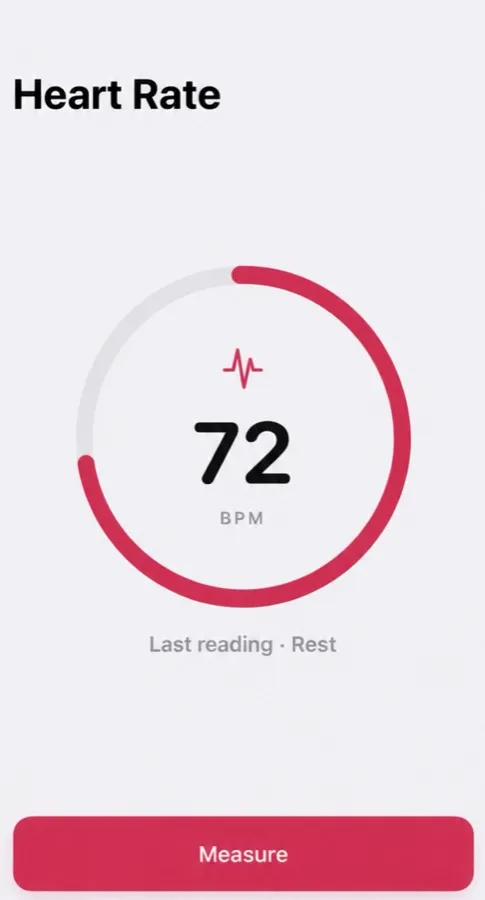
- Reads your pulse in about 15 seconds
- Tag each reading: morning, rest, workout, before bed
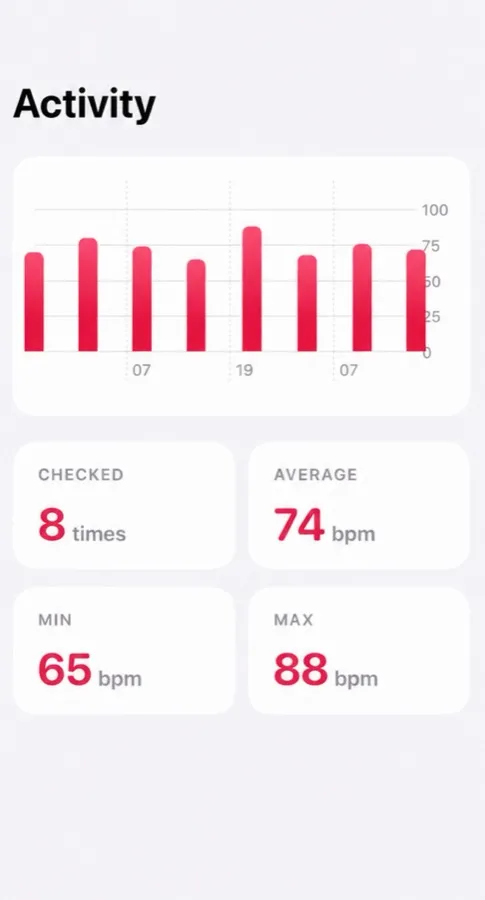
- History with average, min and max
Free to download, optional Pro. Not a medical device: Pulse reads and keeps your pulse, and it does not detect or predict disease. What the app does
Questions people ask
Does iPhone 17 Pro have a heart rate monitor?
iPhone 17 Pro has no dedicated heart rate sensor. Pulse uses the front camera with screen light in Automatic mode; an Apple Watch or a hand count is another option.
Which camera does Pulse use on iPhone Air?
Pulse 1.8.1 starts with the front camera in Automatic mode on iPhone Air, iPhone 17 Pro and 17 Pro Max. Place your fingertip over the front camera at the top of the screen.
Which lens should I cover on other iPhones?
Follow the camera hint in Pulse. On most supported iPhones it starts with a rear lens and the flash. The exact lens depends on the model and your camera setting.
Does switching cameras guarantee a reading?
No. Pulse checks the signal and can reject it or try another camera. We have no independent accuracy test of Pulse.
General information, not medical advice — medical disclaimer. Reviewed : sources and reference dates are listed below.
Sources · numbers checked · how we calculate · report an error
- De Ridder B, Van Rompaey B, Kampen JK, Haine S, Dilles T. Smartphone apps using photoplethysmography for heart rate monitoring: meta-analysis. JMIR Cardio. 2018;2(1):e4.
- Coppetti T, Brauchlin A, Müggler S, et al. Accuracy of smartphone apps for heart rate measurement. Eur J Prev Cardiol. 2017;24(12):1287–1293.