Camera apps like Pulse read changes in light through your fingertip, using the flash or screen as a light: each heartbeat pushes a little more blood in, which changes how much light reaches the camera. A meta-analysis found fingertip camera apps agreed with validated methods within 0.32 BPM on average, in adults at rest, though some apps do far worse than others. Movement, pressing too hard and cold fingers are the usual reasons for a wrong number.
How it works
The technique is called photoplethysmography: light in, light back, a tiny rhythmic change with every beat. Smartwatches use the same idea with green LEDs on your wrist; a phone uses its camera and flash on your fingertip.
What the studies found
- Overall agreement: a meta-analysis of 14 studies (De Ridder 2018) pooled a mean difference of −0.32 BPM (99% CI −1.24 to 0.60) against validated methods, in adults at rest with a regular rhythm. Limits of agreement stayed within 10 BPM.
- Apps differ: a test of four apps on 108 patients (Coppetti 2017) found one fingertip app close to a medical pulse oximeter and another inaccurate despite using the same technique. In some apps, readings were more than 20 BPM away from an ECG in over 20% of measurements.
- Fingertip beats face-scan: in that test, apps that read your face without touching did worse than fingertip apps, and tended to overestimate high heart rates.
Where the evidence stops
- The studies are small: a median of 24 people each, and most of their quality scores were low.
- Most readings were 70–80 BPM, so high numbers were hardly tested.
- None tested readings during exercise.
- They do not show the apps work for children, or during an irregular heartbeat. In children with very fast rhythms, agreement was poor.
- None compared skin tones.
So a camera app is a reasonable way to log a resting number. It is not a way to check whether your heart rhythm is normal, and no app that says it is should be taken at its word.
How to get a good reading
- Sit still and rest your hand on a table.
- Rest the pad of one fingertip on the camera indicated by Pulse.
- Touch lightly — pressing hard squeezes the blood out.
- Warm your hands first if they are cold.
- Breathe normally and don’t talk.
Check it against your own count
The easiest way to trust any app: count your pulse by hand for 30 seconds, then read it in the app straight after. If they agree within a few beats a couple of times, you can use the app for your daily readings.
Phone apps are for general wellness and are not medical devices — for any worry about your heart, see a clinician.
Camera app, watch or hand count?
A camera app gives you a spot reading when you ask for one: you sit still, cover the lens, wait about 15 seconds. It is good for resting and morning numbers, and it costs nothing extra if you already have a phone.
A watch or ring reads all day and all night without you doing anything, which is how most people discover a surprising number at 3 a.m. Readings during hard movement, or with a loose strap, are the least reliable.
Counting by hand needs only a clock and is still the reference the CDC examiners used. It is slower and you can lose count, but it is the fairest way to check either device. Whichever you use, compare a resting reading with resting readings — not with a number taken on the stairs.
When to talk to a clinician
A single reading moves around a lot. If your resting pulse is above 100 on most mornings, or below 50 and you are not a trained endurance athlete, mention it at your next checkup — bring your readings.
If a fast or slow pulse comes with chest pain, fainting, feeling about to faint, or trouble breathing, call 911 or your local emergency number now.
More questions

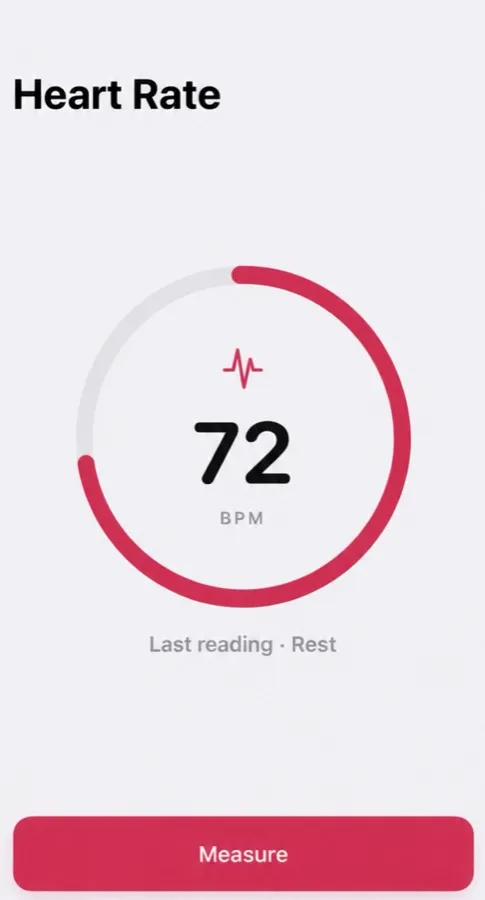
Want a real reading? Pulse reads it with your iPhone camera.
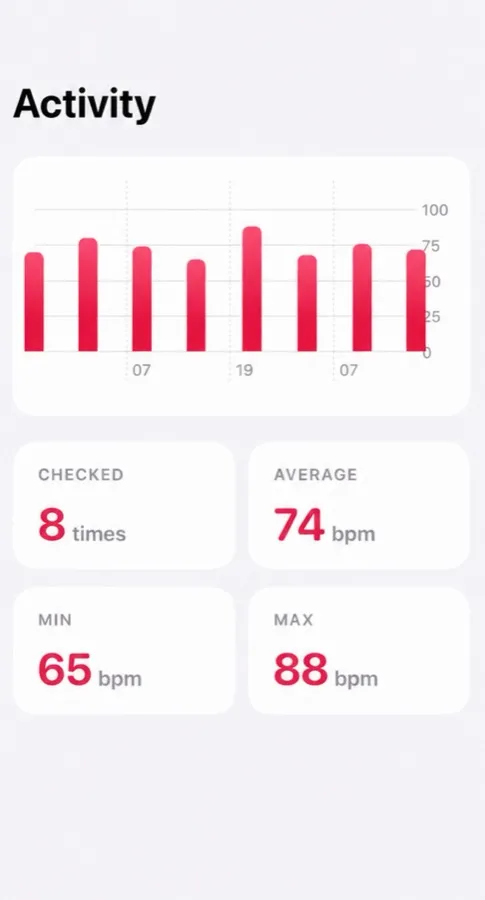
Cover the back camera with your fingertip — Pulse reads your heart rate from the light and keeps every reading, with your average, lowest and highest.
- Reads your pulse in about 15 seconds
- Tag each reading: morning, rest, workout, before bed
- History with average, min and max
Free to download, optional Pro. Not a medical device: Pulse reads and keeps your pulse, and it does not detect or predict disease. What the app does
Questions people ask
Are heart rate apps accurate?
Fingertip camera apps averaged within about 0.3 BPM of validated methods in adults at rest, but individual apps vary a lot. Check yours against a 30-second hand count.
Which is the most accurate heart rate app?
We make Pulse, so we are not neutral, and we have no independent test of it to quote. Published tests found big differences between apps. The fair test is your own: compare any app with a 30-second hand count a few times.
Can a website measure my heart rate?
Not reliably on an iPhone — a website can’t switch on the flash. CheckMyBPM doesn’t try; it explains the number you have.
General information, not medical advice — medical disclaimer. Reviewed : sources and reference dates are listed below.
Sources · numbers checked · how we calculate · report an error
- De Ridder B, Van Rompaey B, Kampen JK, Haine S, Dilles T. Smartphone apps using photoplethysmography for heart rate monitoring: meta-analysis. JMIR Cardio. 2018;2(1):e4.
- Coppetti T, Brauchlin A, Müggler S, et al. Accuracy of smartphone apps for heart rate measurement. Eur J Prev Cardiol. 2017;24(12):1287–1293.
- Mayo Clinic. Heart rate: What’s normal? (Expert answers).