An iPhone has no dedicated heart rate sensor; a camera app or a hand count can provide a pulse reading without an Apple Watch. The Health app stores numbers from other sources. You have three options: wear an Apple Watch, use a camera app that reads your fingertip in about 15 seconds, or count by hand for 30 seconds. The hand count needs nothing but a clock.
Way 1: with an Apple Watch
Open the Heart Rate app on the watch to see your current number. The watch measures with green LEDs against your wrist, across 30–210 BPM. Readings are sent to the Health app on your iPhone, where you can open Browse, then Heart, to look back over days or months.
Way 2: with the iPhone camera
- Install a camera heart rate app such as Pulse.
- Sit down and rest your hand on a table.
- Rest one fingertip lightly on the camera shown by the app (front on iPhone 17 Pro, 17 Pro Max and Air in Pulse Automatic).
- Stay still for about 15 seconds while the flash or screen lights your fingertip.
The camera sees tiny changes in light with each beat. How close that gets to a medical reading is covered in do phone heart rate apps work.
Way 3: by hand
Two fingers on the wrist, the clock on your iPhone, 30 seconds, double it. It costs nothing and is the fairest way to check any app or watch. Our count-to-BPM converter does the sum.
Which to use
- You want all-day numbers: a watch, because it reads while you do nothing.
- You want one reliable morning number: a camera app or a hand count, sitting still.
- You are checking a surprising number: count by hand, then compare.
Whichever you pick, stay with the same method, the same time and the same position. Then your numbers can be compared with each other.
Saving a reading in the Health app
The Health app stores numbers but doesn’t take them. To type one in yourself, open Health, go to the Heart category, choose Heart Rate, then tap Add Data and enter the date, time and value. Menu names change a little between iOS versions.
AirPods Pro 3
AirPods Pro 3 have in-ear heart rate sensors for tracking during workouts. Your numbers show in the Fitness app on iPhone and in supported workout apps. Wearing an Apple Watch as well? iPhone uses whichever source it trusts most at that moment.
Why a website can’t do it
A web page cannot switch on the iPhone flash, so CheckMyBPM does not try to read your pulse. It explains the number you already have, and the app or your own fingers do the reading.
When to talk to a clinician
A single reading moves around a lot. If your resting pulse is above 100 on most mornings, or below 50 and you are not a trained endurance athlete, mention it at your next checkup — bring your readings.
If a fast or slow pulse comes with chest pain, fainting, feeling about to faint, or trouble breathing, call 911 or your local emergency number now.
More questions

Want a real reading? Pulse reads it with your iPhone camera.
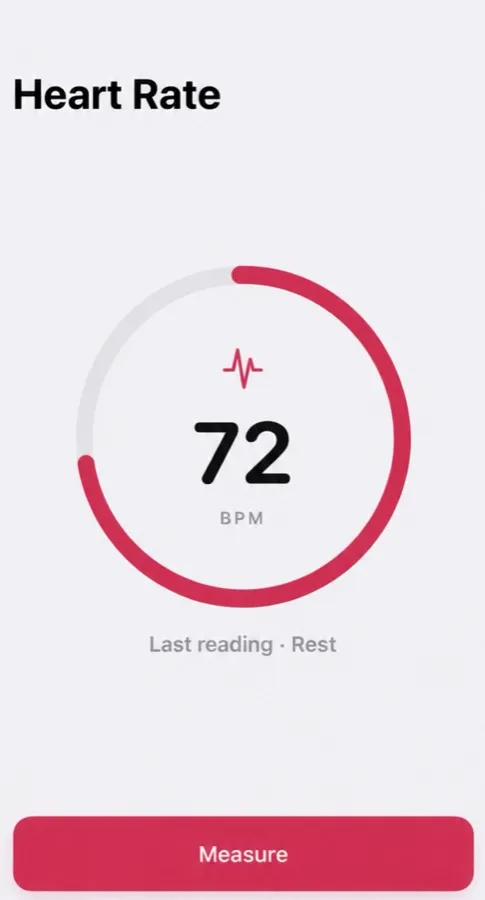
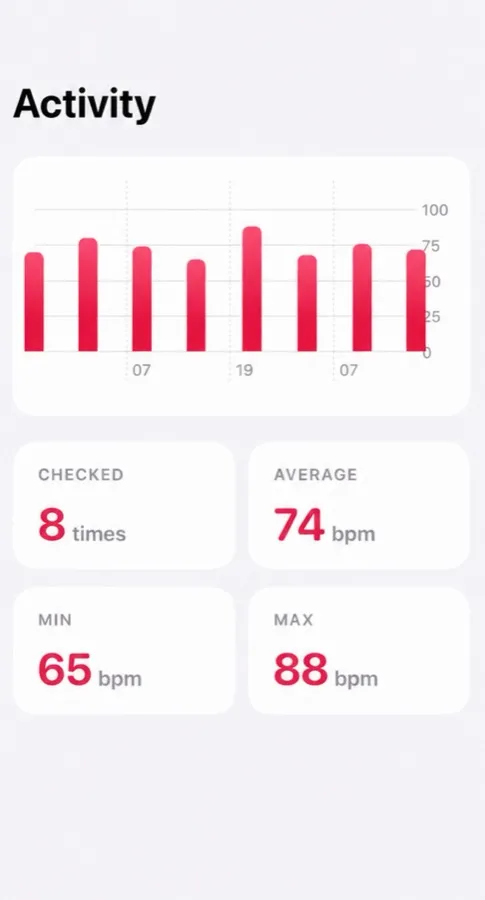
Cover the back camera with your fingertip — Pulse reads your heart rate from the light and keeps every reading, with your average, lowest and highest.
- Reads your pulse in about 15 seconds
- Tag each reading: morning, rest, workout, before bed
- History with average, min and max
Free to download, optional Pro. Not a medical device: Pulse reads and keeps your pulse, and it does not detect or predict disease. What the app does
Questions people ask
Can iPhone measure heart rate without Apple Watch?
Not by itself. A camera app can read your pulse through a camera lit by the flash or screen, or you can count by hand.
Where is heart rate in the iPhone Health app?
Open Health, tap Browse, then Heart. You will see numbers there once a watch or an app has saved them.
Does Pulse save to Apple Health?
Yes, if you allow it. Pulse writes your readings to Apple Health.
General information, not medical advice — medical disclaimer. Reviewed : sources and reference dates are listed below.
Sources · numbers checked · how we calculate · report an error
- Apple Support. Monitor your heart rate with Apple Watch.
- De Ridder B, Van Rompaey B, Kampen JK, Haine S, Dilles T. Smartphone apps using photoplethysmography for heart rate monitoring: meta-analysis. JMIR Cardio. 2018;2(1):e4.
- Mayo Clinic. Heart rate: What’s normal? (Expert answers).
- Apple Support. Manage Health data on your iPhone, iPad or Apple Watch.
- Apple Support. How to check your heart rate with AirPods Pro 3.